
Businesses today depend on digital tools to manage communication and daily work. From file sharing to team collaboration, many platforms promise better efficiency. Still, not every tool supports long-term growth. This is where SharePoint development services help businesses build structured and scalable systems that go beyond basic collaboration.
The Shift Toward Smarter Collaboration
Work culture has changed in recent years. Remote and hybrid teams are now common across industries. Tools like Slack, Google Workspace, and Microsoft Teams have become widely used. They allow fast communication and simple file sharing.
These tools are useful for quick tasks. However, as companies grow, problems begin to appear. Files become hard to track. Permissions get confusing. Teams often lose control over workflows. This creates a need for a system that brings more structure and clarity.
What Makes SharePoint Different
SharePoint is not just another collaboration tool. It is a platform built for managing content, documents, and workflows in one place. It allows businesses to store files in an organized way and It also provides version control, which helps teams track changes easily.
Another advantage is customization. Companies can build workflows that match their internal processes. This reduces manual work and improves productivity. SharePoint also supports intranet portals, making it easier for teams to access important information. These features make it suitable for both daily tasks and long-term operations.
SharePoint vs Other Tools
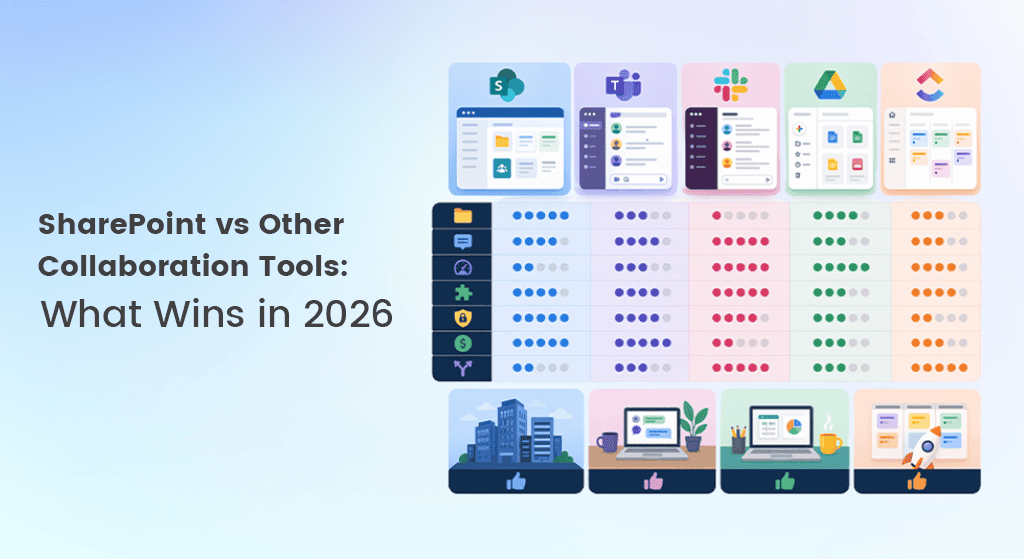
Each tool has its strengths, but the difference becomes clear at scale.
- Ease of Use
Tools like Slack are easy to start with. SharePoint takes more setup but offers better control.
- File Management
SharePoint provides structured storage and version history. Other tools may not offer this level of detail.
- Customization
SharePoint allows businesses to create tailored solutions based on their needs.
- Integration
It works smoothly with Microsoft 365 apps, improving overall workflow.
- Security
SharePoint offers strong access control, which is important for sensitive data.
Other tools focus on speed and simplicity. SharePoint focuses on structure and long-term efficiency.
Why Development and Migration Matter
Moving to SharePoint is not just about choosing a new tool. Many businesses deal with scattered data and outdated systems. Migrating everything requires careful planning. This is where SharePoint development and migration become essential. It ensures that data is moved safely without loss. It also helps build a system that fits business goals. A well-planned migration reduces risks and improves user adoption. Without proper support, companies may not get the full value of SharePoint.
When Other Tools Work Better
SharePoint is powerful, but it is not always the right fit for every business. Small teams or startups may prefer lightweight tools. These tools are quick to set up and easier to manage.
If the goal is simple communication, basic platforms can work well. However, they may not support complex workflows or future growth.
What Wins in 2026?
The answer depends on business needs. For quick communication, tools like Slack and Teams remain useful. But for companies that need structure, scalability, and control, SharePoint clearly stands out.
In 2026, businesses are choosing platforms that combine collaboration with system management. SharePoint aligns well with this shift.
Conclusion
Choosing the right collaboration tool is a strategic decision. It should support both present needs and future plans. SharePoint offers a strong balance of flexibility, control, and integration. With the right setup, SharePoint development services can help businesses build a reliable and future-ready digital workspace.


